
Synottip App
✓ Trusted sources ✓ How do we evaluate?
This content contains affiliate links — if you sign up through them, we may earn a commission. This does not affect our reviews. How we make money
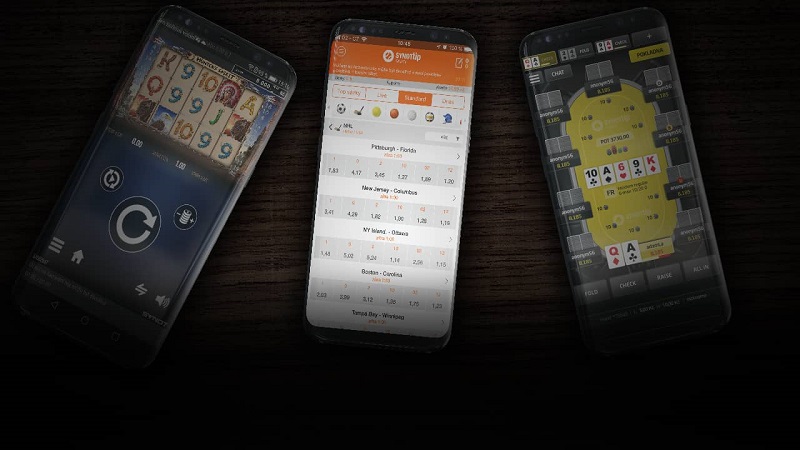
The Synottip bookmaker’s mobile app is the ideal way to keep your bets always at hand. It is available for devices with the Android operating system. Downloading and installing it will take you no more than two minutes. We will show you how to do it in this article.
Bets always at hand
Do you want to bet and play on your mobile? Just download the mobile app for sports betting, online casino, and online poker and play anytime and anywhere. For sports betting, the app brings you a complete offer of various sports opportunities and with live notifications, it alerts you to every twist in the match you are following. If you prefer online casino, you have more than 400 games to choose from, you can join tournaments or spin for a big jackpot. Poker players can play against opponents from the comfort of their home, work, or school.
Available for Android
You can only download the mobile app to a phone with the Android operating system. Simply go to the website muj.synottip.cz/aplikace on your device and download it by clicking the “Download for Android” button. After downloading, find the app on your phone and start the installation by clicking on the installation file. Then in your phone settings, allow installation from unknown sources and continue with the installation. After installation is complete, you will find the app on your phone’s home screen. Now you can start betting.
Responsive web version for iOS
If you own a device with the iOS operating system, don’t worry. Synottip’s website is fully responsive, so it is accessible from mobile browsers such as Safari or Google Chrome. Just enter the address m.synottip.cz and see for yourself.
Logging into the app
Before you can log in to your account, you need to successfully register. If you haven’t yet created an account with Synottip, you can also register directly from the app. For complete registration including identity verification and bank account verification, you will receive 500 benefit points for free! For your first deposit, you will get a free bet worth 500 Kč and a bonus of €400. If you are already registered, simply find the app on your phone’s home screen, open it, and click the “LOG IN” button at the top right. In the new window that opens, fill in your nickname and password that you chose during registration and click the “LOG IN” button. Now you can start betting.
Advantages of the mobile app
- Intuitive control
- Live notifications
- Notifications about placed bets
- One app for sports betting, online casino, and online poker
- Touch ID
Disadvantages of the mobile app
- Unavailable for devices with iOS operating system
Frequently asked questions
1️⃣ How to download the Synottip app?
To download the app, you need a device with the Android operating system. You can then download the app by clicking the “Download for Android” button, which you will find on the muj.synottip.cz/aplikace page.
2️⃣ Is the Synottip mobile app free to download?
Yes, you can download the app for free.
3️⃣ What should I do if I have an iOS operating system?
Synottip’s website is fully responsive, so it is accessible from mobile browsers such as Safari or Google Chrome. Just enter the address m.synottip.cz.
Don’t miss:
Sources: www.synottip.cz