
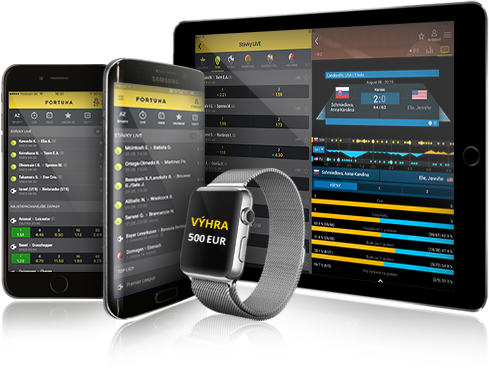
The mobile app from Fortuna lets you bet on thousands of sports events and watch a huge number of streams anytime, anywhere. Downloading and installing it won’t take more than two minutes. We’ll show you how in this article.
✓ Trusted sources ✓ How do we evaluate?
This content contains affiliate links — if you sign up through them, we may earn a commission. This does not affect our reviews. How we make money
The mobile app from Fortuna lets you bet on thousands of sports events and watch a huge number of streams anytime, anywhere. Downloading and installing it won’t take more than two minutes. We’ll show you how in this article.
The Fortuna mobile app allows you to place bets faster and easier than ever before. The app is compatible with Android and iOS operating systems. iPhone and iPad owners have it easier – simply open the App Store and type “Fortuna Sport” into the search bar. On the app detail page, just tap the “Get” button to install the app. The second option is to download it using a QR code from the website www.ifortuna.cz/cms/mobile-app.
To download the app on an Android device, go to https://download.ifortuna.cz/ on your device and click the “Download app” button or use the QR code at www.ifortuna.cz/cms/mobile-app. Then open the file and go to your phone’s settings. Under “Security”, check “Unknown sources”. Finally, click install and you’re done. The app will appear on your home screen.
Before you can log into your account, you must complete a successful registration. If you haven’t created a Fortuna account yet, you can also register directly from the app. After completing your registration, you’ll receive a bonus of €10 free and then a welcome bonus of up to €240.
If you already have a Fortuna account, just find the app on your home screen, open it, and tap the “Login” icon. Your login details are the same as those used during registration. A big advantage of the mobile app is that you can stay logged in at all times (recommended). During login, simply choose the “Stay logged in” option. This means the app will save your password and you’ll remain logged in until you manually log out. If you don’t want to stay logged in continuously, you can enable quick login using fingerprint authentication.
Since Fortuna offers fully responsive websites, you don’t necessarily need to download the mobile app to place bets and play comfortably. Any mobile browser allows you to save a shortcut of a website to your device’s home screen. This will create an icon that instantly redirects you to the Fortuna bookmaker website. You’ll get easy and fast access to your gaming account, which may fully substitute for the standard app. With a home screen shortcut, you’ll also save storage space on your mobile or tablet.
Advantages of the mobile app
Disadvantages of the mobile app
Sources: www.ifortuna.cz, www.apple.com