This content contains affiliate links — if you sign up through them, we may earn a commission. This does not affect our reviews. How we make money
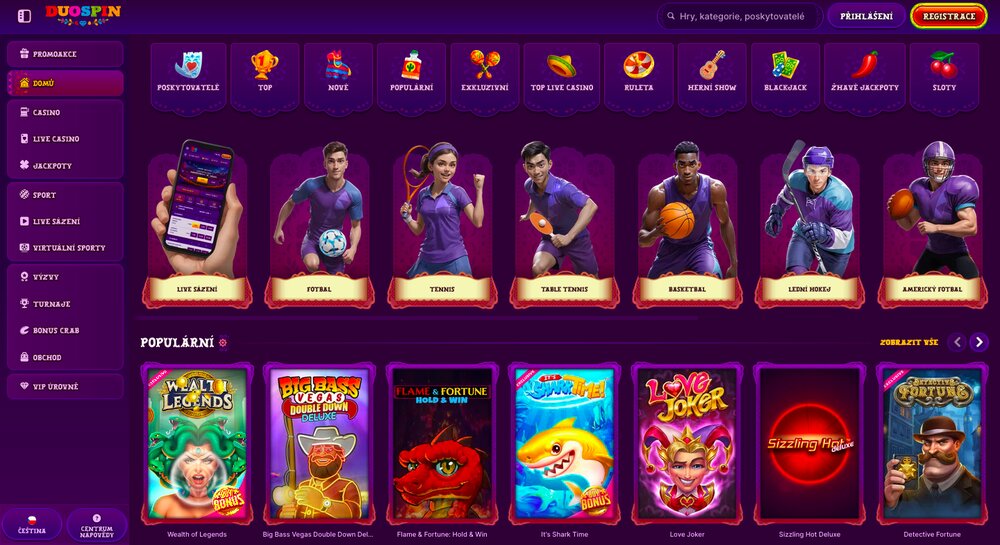
Duospin offers a clear website fully in Czech.
Logging into online casinos would be easier if you had a mobile app. With just one click, you would be connected to your gaming account and could start playing. Additionally, you could receive notifications to keep you informed about the latest promotions as soon as they are launched. On the other hand, they would take up space on your phone. Online casinos often offer something they label as an “app,” but in reality, it is just a guide on how to download a web shortcut to your home screen. Even that has its advantages and can serve you well.
Logging into your gaming account from different devices
Casino Duospin does not deny you the opportunity to play on a computer or mobile phone or tablet. You can freely switch between devices as you wish. However, you will always need to go through the process of logging into your account. The advantage is that the layout of the website is the same on all devices: the “Login” button is always found at the top right of the screen. Then you just need to enter your email and password, and you can start playing.
Creating a web shortcut is even easier than downloading an app. Moreover, it takes up less space in your device’s memory. However, the mobile version of the website may not provide as seamless an experience as an app would. Since in the case of Casino Duospin, you do not have a choice between an app and a desktop shortcut, and if you want to simplify access to the casino’s website, the shortcut is the only option.
The process for creating a web shortcut for the casino varies slightly depending on the operating system of your device (on which you want to download the shortcut). However, the beginning is the same for all versions. Load the casino’s website and wait for it to fully load. Then proceed as follows:
iOS: select the “Share” button and then “Add to Home Screen.” Confirm by clicking the “Add” button that appears at the top of the screen.
Android: press the three dots next to the address bar. Then select the “Add to Home Screen” option.
Windows: at the end of the address bar, there is an icon for downloading the shortcut that you will need to use.
Does the casino offer a mobile version of the website?
Yes, it does. With the functional casino website, you do not have to count only on a desktop computer. You can launch it on your mobile phone or tablet, regardless of the size of your screen.
What if I forget my account password?
It is convenient to let your device remember your login details. However, you may easily forget them. If you forget your password, click the “Login” button and then select “Forgot your password?”. In the corresponding field, enter your registered email address, and the casino will send you instructions on how to reset your password.
Why should I create a desktop shortcut?
It will make it easier for you to access the casino’s website. You will not have to use the web browser every time.