This content contains affiliate links — if you sign up through them, we may earn a commission. This does not affect our reviews. How we make money
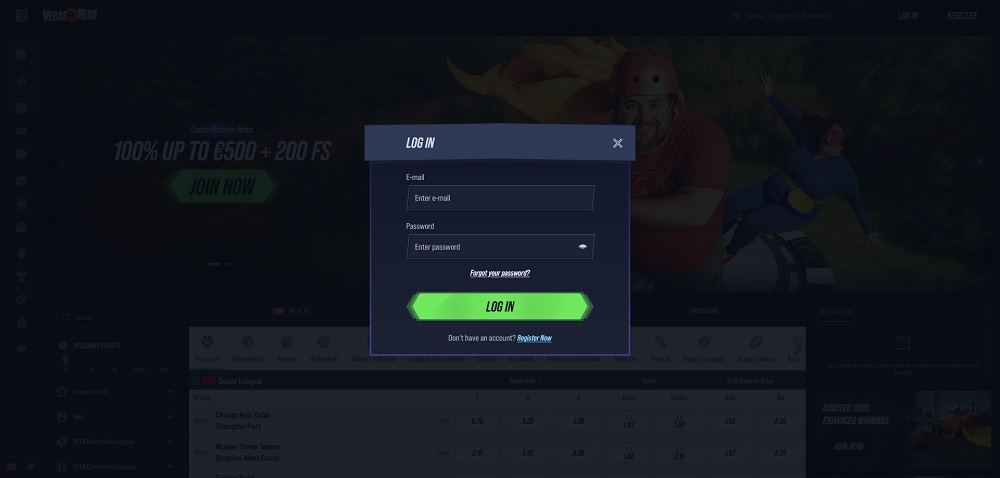
Logging into the VegasHero platform takes just seconds and you can start playing right away
Logging into your online casino account is a routine part of playing—just enter your login details and you’re good to go. Never underestimate the importance of handling your login credentials with care. Never share them with anyone else. Your password? Make sure it’s strong—include numbers, uppercase and lowercase letters, and perhaps even special characters. Why all the caution? It helps prevent loss of funds and identity misuse. Logging out after each session also contributes to better security.
It’s very simple. To log in, click the “Login” button in the top-right corner of the screen. You’ll need to enter your email and password that you used during registration. Once logged in, you can use your account—play, make deposits, claim bonuses, and withdraw your winnings (after verification). When you finish playing, it’s best to log out. To do so, go to your personal profile and scroll to the bottom where you’ll find the “Log out” option.
Forgotten login details
If you’ve forgotten your login details, don’t panic. You can still access your account. Sometimes you’ll be able to resolve it yourself, and other times you’ll need help from customer support. It depends on which login detail you forgot:
Forgotten password: You can fix this yourself. Click “Login” as if you’re signing in normally. Then click “Forgot your password?”. Enter the email you used to register. You’ll receive instructions on how to reset your password.
Forgotten email: This one is trickier. You’ll need to contact customer support via live chat or email.
The first thing you should do is check the accuracy of your login details. Is Caps Lock on? Num Lock off? Make it easier on yourself! When entering your password, click the eye icon in the password field to view what you’re typing and confirm accuracy.
Recently changed your password? That might be why you can’t log in now. In that case, clear your browser’s cookies and cache. Sometimes, switching to a different browser helps.
Still not working? Contact the casino’s customer support and ask for help. Make note of or take a screenshot of the error message you’re seeing when login fails.
You’ll gain access right after logging in. A green box with your current balance appears in the top-right corner. Click it to open your wallet. You can also access the wallet from your personal profile—simply click “Deposit” or “Withdraw”. Regardless of how you enter, you’ll be able to switch between the “Deposit” and “Withdraw” tabs. What are the withdrawal limits?
Minimum deposit is €10 for fiat currency, €10 for cryptocurrencies.
Withdrawals start from €10 for both crypto and fiat.
The maximum daily withdrawal limit is €500, and €7,000 per month.
All options can be found in the “Help Center,” located at the very bottom of the main menu in the left column. There you’ll find the live chat button and the casino’s email address: support@vegashero.com.
What payment methods can I use for deposits?
You can use Mastercard payments cards, as well as e-wallets like Skrill, Neteller, Paysafecard, and MiFinity. If you want to use cryptocurrencies, options include Tether, Bitcoin, Ethereum, Litecoin, Ripple, USDCoin, Bitcoin Cash, Dogecoin, and Cardano.
Do VIP players get better withdrawal limits?
Yes, they do. Their daily and monthly withdrawal limits increase depending on their VIP level.