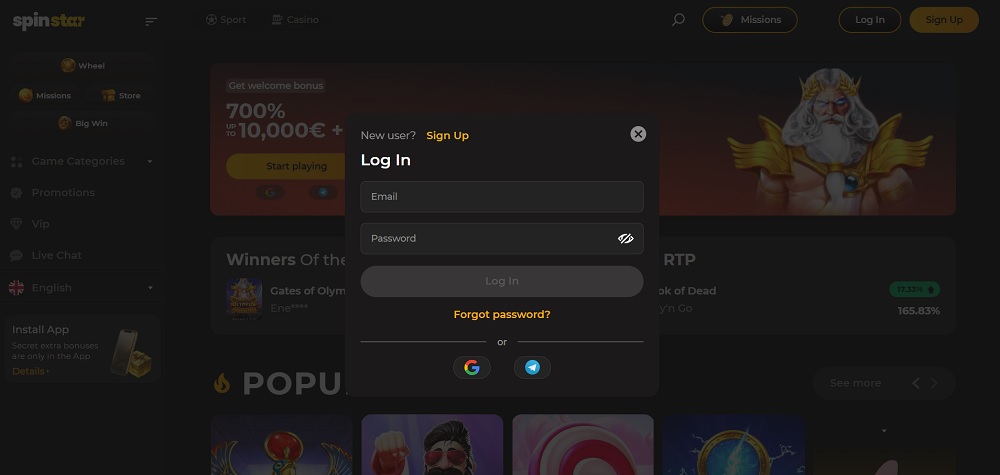
Spinstar.bet: how to log in?
To log in to the Spinstar.bet casino, you need to open the Spinstar.bet website and click on the Login button in the upper right corner. Then enter your login details, email, and password, and click Login again to access your account.
Spinstar.bet: how to reset a forgotten password?
If you have forgotten your password, click on Login in the upper right corner of the website and then select Forgot password. Enter your email in the opened form and click Reset password. You will then receive further instructions to restore access via email.
Spinstar.bet: how to recover a forgotten email?
If you do not remember your registered email, you can contact customer support at the bottom of the website under the Contact us link. For quick assistance, use support@spinstar.bet, where 24/7 support is available. For general and organizational inquiries, write to info@spinstar.bet.
What to play at Spinstar.bet casino?
In the left menu of the Spinstar.bet section, there is a clear overview of game categories under “Game categories”, which allows for quick navigation. You can view “All games” for a complete overview or select by type. “Slots” include classic and modern slots, “TOP” features the most popular titles, and “New games” showcase the latest additions. “Live casino” offers games with live dealers (see the list of live casinos), “Original games” contain unconventional concepts, and “Jackpot” games allow you to compete for high winnings. For your interest, in the Live casino Spinstar.bet section, games with live dealers are available, including classic blackjack in Privé Lounge, fast roulette Roulette Bar 2000X, colorful Sweet Bonanza Candyland, dynamic Boom City, and elegant Azure Roulette among others.
Can you play demo versions?
Demo versions are available after logging in. This mode is suitable for familiarizing yourself with the rules and controls of the games before playing for real money. This minimizes your losses.