This content contains affiliate links — if you sign up through them, we may earn a commission. This does not affect our reviews. How we make money
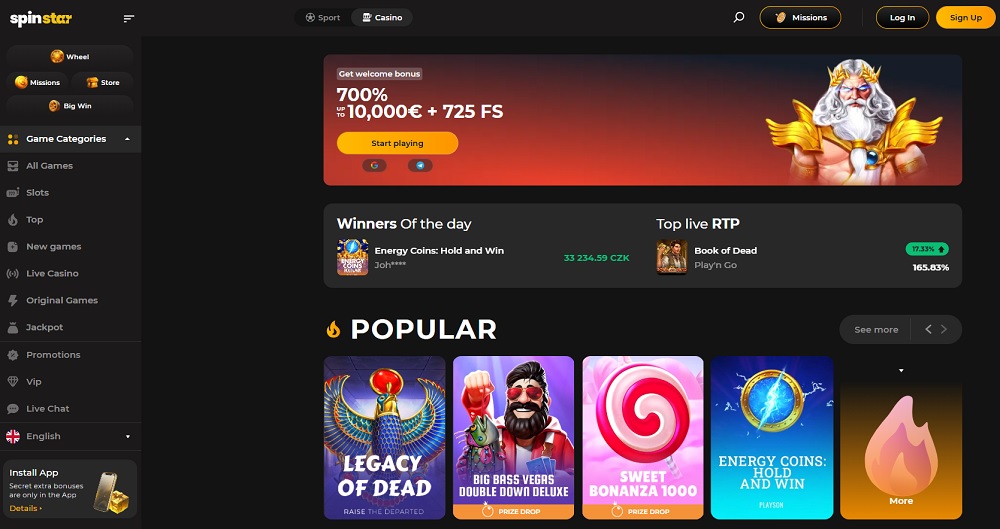
The Spinstar.bet website is fully responsive
We tried this method and confirmed that it is convenient and works smoothly. Additionally, by using it, you will receive a special bonus, so even a simple shortcut can turn ordinary moments at home or during a break into enjoyable entertainment.
Most online casinos do not have their own mobile app. Instead, they rely on a well-optimized web interface that offers all features directly in the browser without the need for downloading. This approach reduces costs and simplifies maintenance.
Why is developing a mobile app for casinos challenging?
Strict app store approval – Both the App Store and Google Play have strict rules for gambling apps, checking payment security, player protection, and legal compliance, which can prolong the approval process or lead to app rejection.
Continuous maintenance and updates – Every new feature or security update must be tested on various versions of iOS and Android, increasing the management complexity and time needed for releasing updates.
Data security and protection – Apps must protect sensitive player information and transactions from attacks, reverse engineering, and malware, requiring sophisticated encryption and security protocols.
Diversity of devices and operating systems – Mobile phones and tablets differ in hardware and OS versions, so developers must test and optimize the app for dozens of combinations, significantly increasing complexity.
Performance and app size requirements – Complex casino apps require a lot of memory and graphical performance, which can slow down older devices, while the web interface utilizes cloud processing and adaptive design for a smooth experience.
For users who want easy access to frequently visited casinos, such as Spinstar.bet, directly from their device’s home screen. (Instructions can also be found in the Spinstar.bet casino in the lower left corner.)
Creating a shortcut for iOS
On iOS devices, such as iPhones and iPads, you can add a website shortcut to the home screen as follows.
Open the webpage in the Safari browser.
Tap the share icon (square with an upward arrow).
In the menu, select Add to Home Screen.
Edit the shortcut name if desired.
Tap Add.
This way, an icon will appear on your device’s home screen that functions as a shortcut to the desired webpage.
Creating a shortcut for Android
On Android devices, you can add a website shortcut to the home screen as follows.
Open the webpage in the Chrome browser.
Tap the menu icon (three dots) in the upper right corner.
Select Add to Home Screen.
Edit the shortcut name if desired.
Tap Add.
This way, an icon will appear on your device’s home screen that functions as a shortcut to the desired webpage.
Creating a shortcut for Windows
On Windows computers, you can create a website shortcut on the desktop as follows.
Right-click on the desktop and select New > Shortcut.
In the location field, enter the URL of the webpage you want to add.
Click Next.
Enter the shortcut name.
Click Finish.
This way, an icon will appear on your computer’s desktop that functions as a shortcut to the desired webpage.
What are the main reasons why online casinos do not use their own mobile app?
Most casinos rely on the web interface because it reduces development costs. It allows for quick updates and works on all devices without the need for downloading.
How difficult is it to secure app approval in the App Store or Google Play?
The process is challenging because the stores check payment security, player protection, and legal compliance. All of this can prolong approval or lead to app rejection.
Why is it challenging to maintain and update a mobile app?
Every new feature or security update must be tested on various versions of iOS and Android, while ensuring data encryption and optimization for different types of devices.