This content contains affiliate links — if you sign up through them, we may earn a commission. This does not affect our reviews. How we make money
Logging in to Win Rolla is done online through a clear account interface
Everything starts with the registration process. How do you log in the next time you come back? In online casinos, you should choose login details that are easy to remember. The password must meet certain parameters you need to keep in mind. You must log in every time you want to play again. What if you forget your password? Win Rolla offers a reliable way to reset it.
Every beginning can be tough—that’s the saying. But Win Rolla doesn’t make it hard: click the “Register” button in the top right, choose a welcome bonus, and then continue by entering a few personal details. Once you’ve filled them out, just complete the registration with another click, make your first deposit, and the casino’s game library is open to you! Don’t forget about KYC, but you’ll only be prompted to complete it later. It involves submitting an ID and verifying your address (for example, a phone bill); it’s done online with no in-person contact. So no worries!
Logging in on subsequent visits
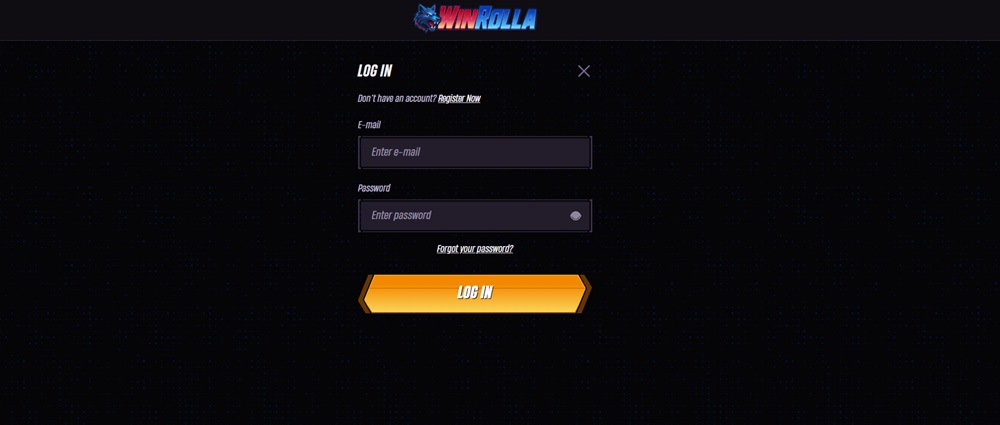
After you complete registration, have some fun, and return a few days later, you’ll need to log in again. At Win Rolla, it’s easy—simply click the “Log in” button. It’s also in the top right and opens a short form where you need to enter one or two details. In other words, your email and password, or sometimes just your password. It’s important to remember your password and enter it whenever you want to spend your free time with online entertainment. Logging in is very simple. And what else should you keep in mind regarding this key credential?
At least 9 characters (including at least 1 uppercase and 1 lowercase letter, and 1 number).
Security comes first. Choose a password you don’t use anywhere else.
When typing your password, remember to turn off Caps Lock. Make sure you’re entering it correctly.
Menu and account management
The platform offers a clear, user-friendly interface. The main menu is on the left, from where you can easily navigate to different sections. Each category has its own icon, so even with a minimized menu you can find your way around. Your account information is on the right. Thanks to this layout, you won’t waste time searching through a cluttered menu. In account management, you’ll find a summary of individual balances (real balance, bonus balance, total balance), including coins and Bonus Crab game credits. Below that are options to access the cashier, bonus details, account details, and game history.
If you can’t remember the password you set during registration, don’t worry. You can easily change it—you’ll need your email. Click the “Log in” button again and choose “Forgot password?” from the menu. This button is right under the password field. Enter your email in the field and follow the instructions that will arrive shortly. Resetting your password is simple—choose a new one in line with the rules. It’s a quick rescue operation you may know from online shops or other portals; it always works the same way.
What if you don’t remember your email?
Forgetting your password is one thing, but if you can’t remember your email either, the situation can be a bit more complicated—though still solvable. In that case, it’s best to contact Win Rolla customer support directly. Via live chat or email, describe your problem and provide as many details as possible to help verify your identity—for example, your name, phone number, or your last activity on the account. Support will help locate your email or propose another way to restore access to your account. It’s important to act quickly and accurately—the more information you provide, the faster you’ll get back to playing.
Want to ask Win Rolla support something? There’s a 24/7 live chat available for all registered clients. Just click the “Live chat” button with the speech bubble icon with three dots. It’s at the bottom of the website, right next to the language selection. In the left sidebar, you’ll find the “Help Center” button, where you can find answers to the most common questions from players and bettors. Check it first—you might quickly find exactly what you’re looking for.
It’s in the top right part of the website, right next to the button you use to start registration at Win Rolla. One click and entering your login details, and you can start playing in a moment!
How can I contact Win Rolla support?
Click the button to start live chat. It runs 24/7, so you can ask your question anytime, regardless of the date and time.
What information is required for registration?
Choose a password, enter your email, and provide your first name, last name, address, and date of birth. These are all required fields in the registration form.