Easy registration process
Everything starts with registration, which opens the door to the world of entertainment, playing gambling games and lucrative rewards. That is why you should register at Neon54 casino. The process is very easy, fast and fun. During registration, you will be greeted by familiar faces with understandably modified names, such as Miradona, David Bowle, Kriss and others.
You can register via FunID, if you have one. Another option is the classic completion of the registration form. Just provide truthful and current information, such as your name, surname, date of birth, address, phone number and email address. After entering the basic details, at the end you will choose a username and password and confirm your email account using a link.
Signing in during your next visit
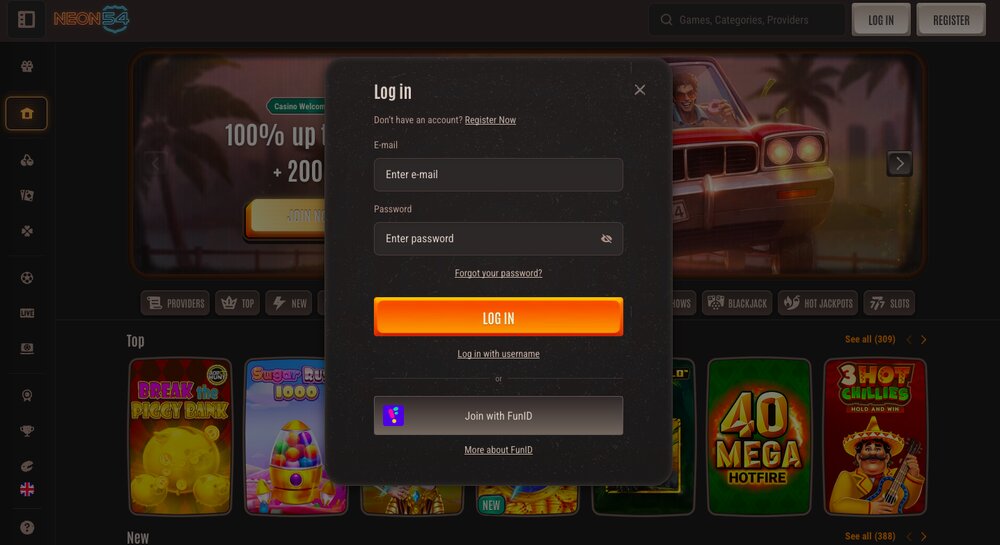
Once you have registered and have an active account, logging into the casino is simple and fast. In the upper right corner, click on “Sign in”. Here you have two options. You can sign in the classic way, i.e. enter your username, password and confirm by clicking “Login”.
If you are using your own computer or mobile phone, you might consider saving your password in the browser for even faster access. The second option is signing in via FunID, if you have one.
Forgotten password
What to do if you forget your password? There is no need to despair or panic. This is a situation most of us know well. In this case, under the sign-in form, click on “Forgot password?” and enter your email address that you provided during registration. You will immediately receive an email with a link to create a new password. After creating a new password, you can log in again without any problems.
Problem signing in even if the username and password are correct
Have you entered your username and password but still can’t sign in successfully? In this case, check again whether you really entered the details correctly. The error may not only be a typo but also accidentally having the CapsLock key on. If so, try using a different browser. Still can’t sign in successfully? Delete cookies and cache in your browser. If this doesn’t help either, contact customer support via live chat or email at support@neon54.com. It is good to have a screenshot of any error message ready, which will make it easier and faster to resolve the issue.
Play at Neon54 casino
Frequently asked questions