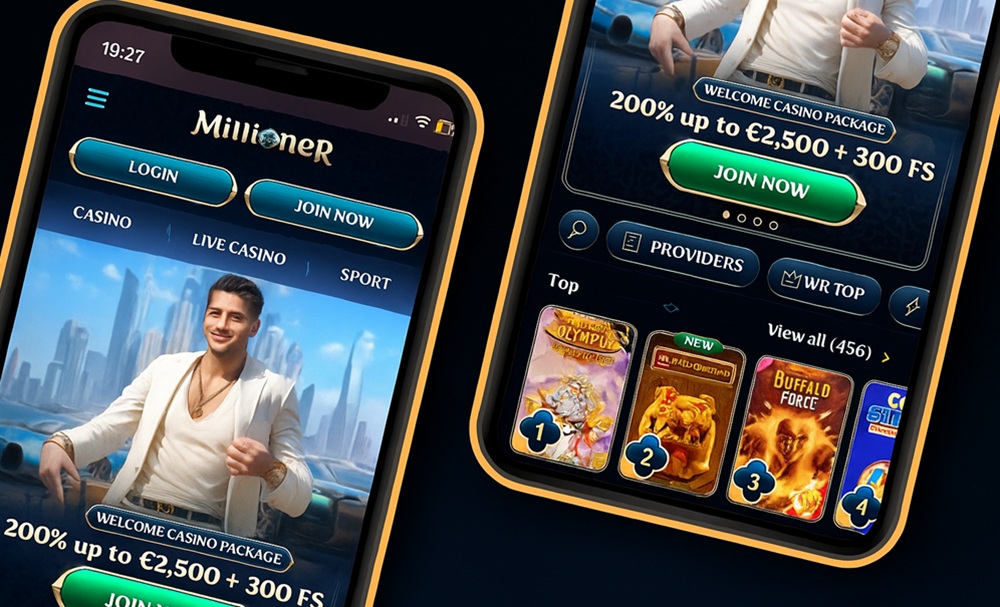
Millioner mobile app
Although mobile apps from various platforms are very popular and in demand, Millioner currently does not offer any app. And that’s not a drawback at all. Players can enjoy this platform without having to install anything else on their device. On the contrary, they can access this online casino and sportsbook whenever they like—and even faster with a homescreen shortcut.
Millioner mobile website
The mobile version of the Millioner website is fully responsive. This means it automatically adapts to the screen of your mobile phone or tablet. After logging in, players have instant access to all games, sports betting, and promotions. Even in this version, you can rely on fast loading, intuitive controls, and a smooth experience every step of the way.
How to play on mobile at Millioner
The only thing you need to play at Millioner without any issues is a web browser. Just like when playing on a computer, you’ll need a reliable internet connection. Its stability and download speed determine how quickly the site loads and whether everything works as it should.
A website shortcut instead of a full app
Although Millioner doesn’t offer a classic mobile app with the casino or sportsbook, players can install a website shortcut on the desktop of their chosen device. You can do this on a mobile phone, tablet, laptop, or desktop computer, regardless of the operating system. Thanks to the website shortcut, you can access this gaming platform with a single click, without wasting time searching for the site in your browser.
How to install the Millioner website shortcut
- Open the website of this gaming platform on the device where you want to install the shortcut.
- Click the install icon at the end of the URL bar, or open the menu next to the URL bar and select the appropriate option.
- Wait a few seconds until the installation completes successfully.
- Check where the shortcut was placed on your desktop and test that clicking it takes you to the Millioner website.
Accessing your Millioner account
If you’re not registered at Millioner yet, that’s no obstacle to mobile play. On the platform’s website you can create your player account. The entire registration process is simple and fast, just like on the desktop version. The same goes for logging in using your credentials, phone number, or social media.
Game selection on the Millioner mobile website
Games and sports betting are among the biggest attractions and main reasons why players visit this gaming platform. That’s why all these sections are optimized for smaller screens and adapted so players can not only find their way around easily, but also use them to the full. Whether you want to play slots, card games, or table games, or place a bet on the outcome or course of a sporting event, you won’t miss out on anything.
Playing and betting on the Millioner mobile site is smooth and the graphics stay top-notch. You don’t have to worry about long loading times, stuttering games, or clunky controls. Demo versions of some games are also available on mobile, so you can play just for fun without wagering your own funds.
Advantages of playing on mobile at Millioner
While the absence of a mobile app might seem like a drawback to some, the opposite is true here. The fact that you can get by without installing another app on your device is a big plus. You save storage space and protect your battery life, as many mobile apps consume power even when you’re not actively using them.
The option to install a website shortcut to your chosen device fully makes up for the lack of a mobile app. Playing in a web browser is fast, convenient, and available on any device regardless of its operating system. You won’t miss any game, promotion, or feature, and you can enjoy this gaming platform just as easily at home as when you’re standing in line at the checkout.