
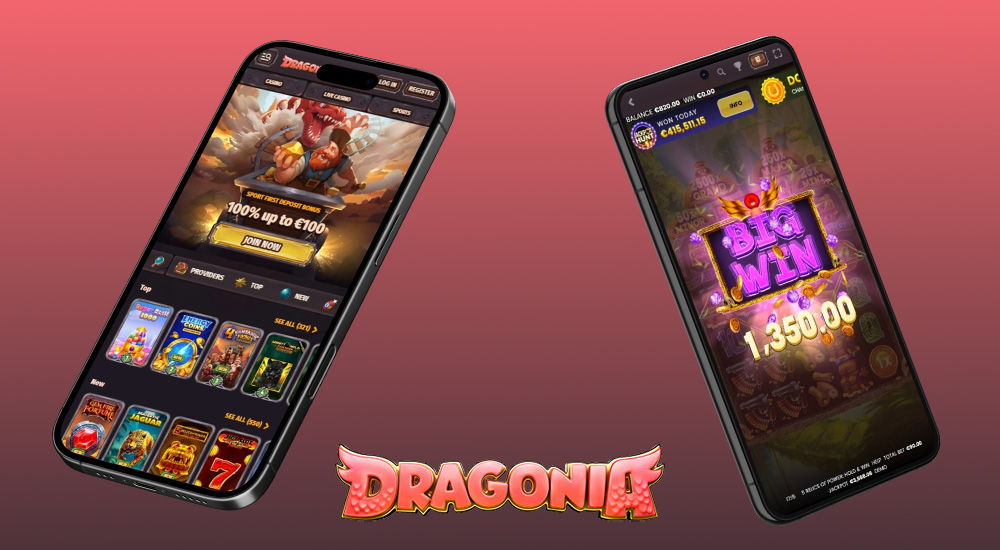
Thanks to its responsive website, Dragonia casino works perfectly on any device without requiring installation. Want to make it even easier? Simply pin the page to your phone or computer desktop, and you can launch it just like a regular app.
✓ Trusted sources ✓ How do we evaluate?
This content contains affiliate links — if you sign up through them, we may earn a commission. This does not affect our reviews. How we make money
Thanks to its responsive website, Dragonia casino works perfectly on any device without requiring installation. Want to make it even easier? Simply pin the page to your phone or computer desktop, and you can launch it just like a regular app.
Dragonia can do without a traditional app and still remains fast. The web version runs smoothly on mobile, with no lags or unnecessary waiting. Whether you’re standing in line, enjoying coffee in the park, or secretly escaping a never-ending meeting, the casino is always at hand. Just open your browser, load Dragonia, and you’re back in the game in seconds. If you want even quicker access, simply pin the page to your phone’s home screen. It doesn’t just look like an app—it works like one. Nothing to install, no storage required, and entertainment is ready whenever you want to relax or try your luck.
You don’t need to be a tech expert. Adding Dragonia to your desktop takes just a few clicks. Follow a simple process and you’ll have the casino handy anytime, as conveniently as a regular app.
Open Dragonia in Safari, tap the share icon (square with an upward arrow), and choose “Add to Home Screen”. Choose a name you like and confirm. An icon will appear on your home screen that takes you right back into the game.
On Android phones, it’s easy. Launch the Dragonia website in Chrome, tap the three-dot menu in the top right corner, and select “Add to Home Screen”. Then name your shortcut, and you’re done. Dragonia will be saved among your apps.
On a computer, it’s just as simple. Open Dragonia in Chrome and click the plus icon next to the address bar, or in Edge go to Menu → Apps → Install this site as an app. After confirmation, a standalone window with a desktop or Start menu icon is created, so you can launch Dragonia like any other program.
As a bonus, we’ve selected seven top hits that will get your adrenaline pumping. Enjoy the sweet explosion in Sugar Rush 1000, dive into the mystical spells of Her Genie Ways, or ignite your gaming passion with the fiery 3 Hot Chilli Peppers.
Claim WELCOME BONUS at Dragonia