This content contains affiliate links — if you sign up through them, we may earn a commission. This does not affect our reviews. How we make money
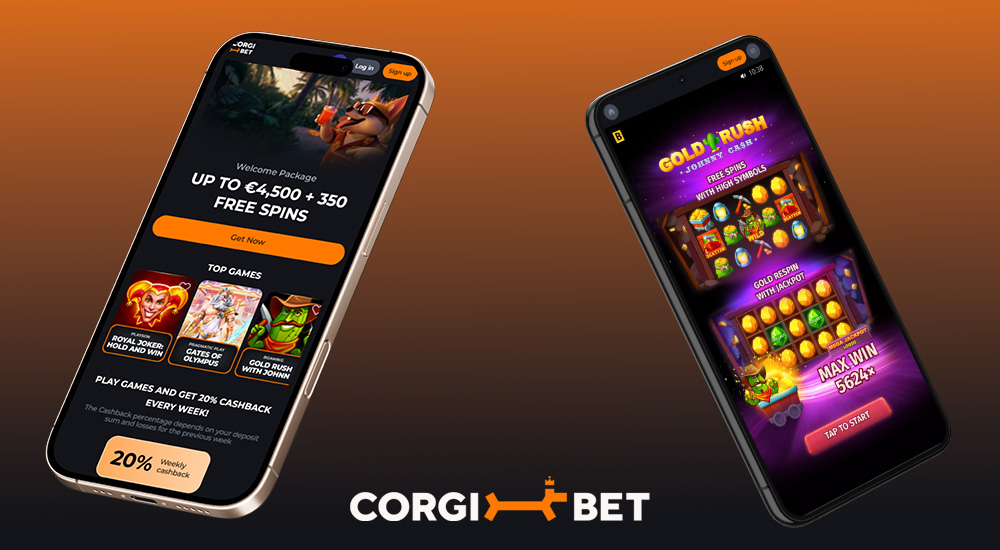
The website of Corgibet casino is fully responsive, which makes it seamless to play on any device
Although it might seem that playing without a dedicated mobile app is complicated, that’s not the case at Corgibet. The casino is fully optimized for mobile devices, so you can enjoy gambling directly in your browser—no downloads, no installation, no hassle. The site is responsive, adapting to any screen size and looking almost like a native app. In just a few taps you can access your favorite slots, bonuses, and other features—whether you’re on the couch at home or on the go.
Even though Corgibet does not offer a classic mobile app to download from Google Play or the App Store, players aren’t missing out. You can simply add the casino to your phone’s home screen or install it on your computer directly from the official website. This gives you quick access and an interface that works almost as smoothly as a regular app. It’s important to keep security in mind—always download the app exclusively from the official Corgibet website. That way you’re sure you’re using the latest, secure version that protects your data and your gaming experience.
If you want convenient access to Corgibet on your computer, just follow a few simple steps! On the official website, scroll to the footer and click “casino app”. A page with the installation prompt will open, where you’ll see a blue “Install” button. The installation runs automatically within seconds, and a Corgibet icon will appear on your desktop. From there, you can log in and play with a single click—no need to open your browser.
The process on mobile devices is a bit different, but just as simple. Open the Corgibet website in your mobile browser (Chrome, Safari, etc.). Then tap the Share button in the bottom or top bar (depending on your device). From the options, choose “Add to Home Screen” and confirm. This will create a Corgibet icon right on your home screen—just like with a regular app. You can then launch it anytime and start playing immediately, without searching through your browser.
Which games are worth trying on mobile?
Some of the best games to spin on mobile include Royal Joker: Hold and Win by Playson, the thrilling Gates of Olympus by Pragmatic Play, or the spicy slot Burning Chilli X by BGaming. And the great part? All these titles—and many more—are available in demo mode! So you can test them for free before you decide to play for real wins!