This content contains affiliate links — if you sign up through them, we may earn a commission. This does not affect our reviews. How we make money
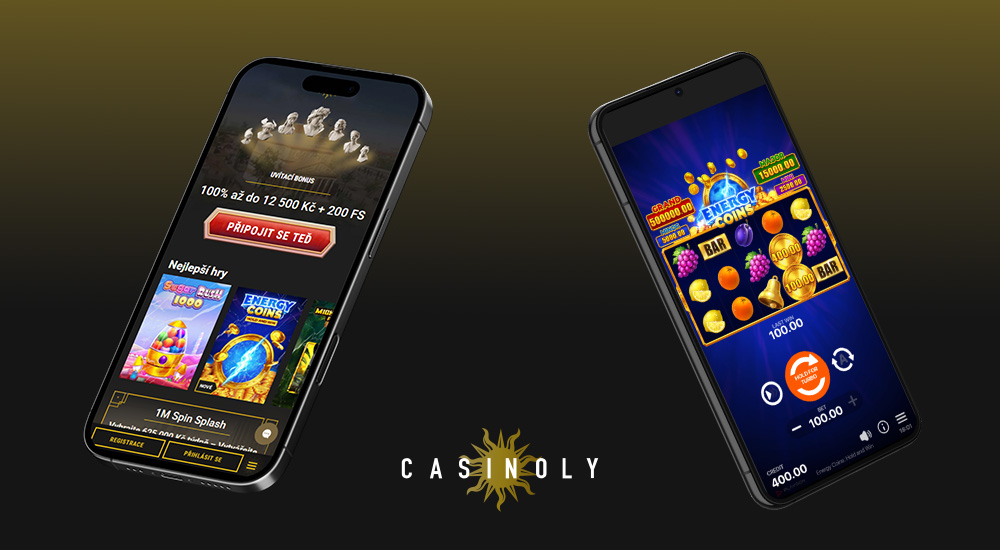
The Casinoly web platform is perfectly optimized and responsive, ensuring seamless gaming even on mobile devices
Thanks to the internet, you have the opportunity to play at an online casino whenever you want. You can pass the time while waiting or have fun whenever you feel like it. You don’t need to be at your desktop computer. With mobile phones, which allow you to access various websites – including casino sites, you can play anywhere you have a stable internet connection.
Casinoly does not offer a standalone mobile application for iOS or Android devices. Fortunately, its website is fully optimized for mobile devices. This means you can play directly through your web browser, whether on your smartphone or tablet. The website content automatically adjusts to different screen sizes, ensuring smooth and user-friendly gaming on mobile devices.
If you want to make accessing the casino’s website easier, you can save a shortcut to your home screen. This will create an icon that looks very similar to an app. It will take up almost no space on your device and does not require updates. When you want to play, you don’t need to open your web browser; just use this icon. The process of downloading such a shortcut varies slightly depending on the operating system of your device.
Load the casino’s website on your device. Once it fully loads, press the “Share” button and then “Add to Home Screen.” Then just confirm by pressing the “Add” button at the top of the screen.
Website shortcut for Android
After the casino’s website fully loads on your chosen device, simply select the three dots next to the address bar. Here, choose the “Add to Home Screen” option. That completes the process.
Website shortcut for Windows
A device with the Windows operating system also allows you to download a website shortcut to your desktop. Just load the casino’s website and then select the download icon at the end of the address bar.
What to do if the casino does not load
If you have trouble displaying the casino on your mobile device, first check your internet connection. Then try clearing your browser’s cache and ensure you are using its latest version, as older versions may have compatibility issues. If you are using a less common browser, we recommend switching to Chrome, Safari, or Firefox. Restarting your device can also help, as it often resolves minor software glitches. If none of this works, try loading the page in incognito mode or contact casino support.
How can I play at the casino using a mobile device?
Open a web browser on your smartphone or tablet and go to the casino’s website. Log in to your gaming account (or register if you don’t have an account yet). Then just make a deposit and you can start playing.
Is the game selection the same on all devices?
Yes, modern casinos offer almost all games in the mobile version, whether you enjoy playing slots, live casino, or table games. Some older games may not be available for mobile phones.
Can I make deposits and withdrawals through the mobile version of the website?
The mobile version of the website is a full-fledged representative of the desktop version. In fact, you don’t even need to use a computer to play, as you can make deposits and withdrawals, as well as activate bonuses on your mobile devices.