This content contains affiliate links — if you sign up through them, we may earn a commission. This does not affect our reviews. How we make money
CasinoLab offers absolutely seamless gameplay thanks to its responsive website
CasinoLab delivers a premium gaming experience that immerses you in the atmosphere of a classic brick-and-mortar casino – whether on a desktop or in a mobile browser. Thousands of slots, table and card games, live casino, and extensive online betting markets ensure endless entertainment, while generous bonuses, a VIP program, and the chance to get free spins for your activity make gameplay even more attractive. You’ll also find regular tournaments and 24/7 customer support via live chat. But how does CasinoLab perform when it comes to mobile play? Let’s take a closer look!
These days, players don’t want to be tied to a computer – they want their favourite casino at their fingertips, anytime and anywhere. That’s why mobile apps and responsive websites play a key role in providing smooth and comfortable online casino gameplay. Quick access to games, seamless navigation, and controls optimised for touch devices are now standard. We’ll take a look at how CasinoLab performs in mobile gaming – whether it offers an official mobile app, how well the web version works on phones, and what advantages it brings for players who want to have fun on the go.
While CasinoLab doesn’t offer an official mobile app to download, that doesn’t mean you can’t enjoy convenient mobile gaming. The website is fully optimised for mobile devices. For even quicker access, you can use a handy trick – simply save a shortcut to the CasinoLab site on your phone or tablet home screen. This way, you create a quick access point that works similarly to an app, letting you access the casino with just one tap.
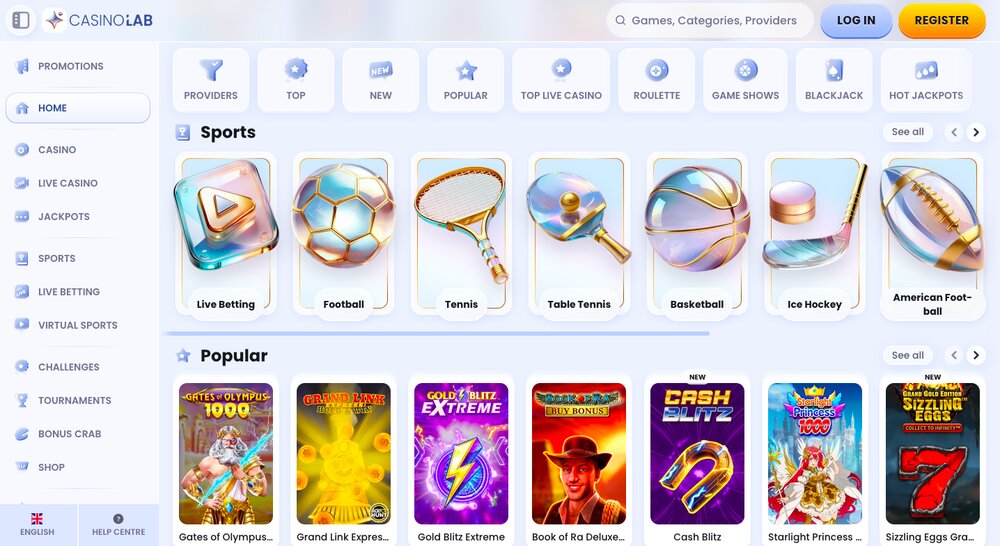
Online casinos must be ready for players connecting not only from desktops but also from phones and tablets of various sizes. That’s why responsive design is so important. It allows websites to automatically adapt to any screen size without losing functionality or usability. CasinoLab follows this trend and its site is fully optimised for mobile devices. This means it will easily adjust to your screen size and offer a smooth gaming experience without the need for zooming or complicated scrolling.
Mobile web features
The main advantage of CasinoLab’s mobile version is access to all the key features you’d find on the desktop version. Whether you want to sign up, make deposits and withdrawals, or play your favourite games, everything can be done directly in your mobile browser. Thanks to full compatibility, there’s no need to download any app. Just open the casino’s website and you’re ready to play.
Benefits of the mobile web
CasinoLab’s mobile web offers several key benefits:
Instant access – no installation required, just open your browser and start playing.
Minimal storage requirements – unlike native apps, it doesn’t take up any space on your phone.
The same gaming experience as on desktop – full game library, easy navigation, and access to all features.
Option to create a home screen shortcut – access the casino site with a single tap.
Whether you prefer gaming on a desktop or reaching for your phone, CasinoLab doesn’t limit you and offers a full experience no matter where you are.
No, the casino currently does not offer a downloadable mobile app. However, this is not an issue, as the casino’s website is fully optimised for mobile devices. You can easily play directly in your phone or tablet browser without having to install anything.
Are all games and features available on the mobile version?
Yes! The mobile version of the casino offers the same features as the desktop version. You can easily register, make deposits and withdrawals, claim bonuses, and play all available games, including the live casino.
How can I simplify access to the casino on mobile?
If you want quicker access to the casino without opening the browser each time, you can save a CasinoLab shortcut to your phone’s home screen. Just open the casino site in your browser, click the sharing options, and choose “Add to Home Screen.” This creates a quick link that works like a traditional app.