This content contains affiliate links — if you sign up through them, we may earn a commission. This does not affect our reviews. How we make money
The responsive interface of the BigClash online casino website ensures seamless play on all devices
We live on the go, so it’s no surprise our phones can do more and more. Sure, computers are still irreplaceable and often more comfortable for many of us. On the other hand, when it comes to entertainment, phones are right up there with them. Just think of the sheer number of game apps you can download! Online casinos do optimize their websites for mobile, but finding dedicated apps isn’t all that common. Let’s take a look at how BigClash handles this.
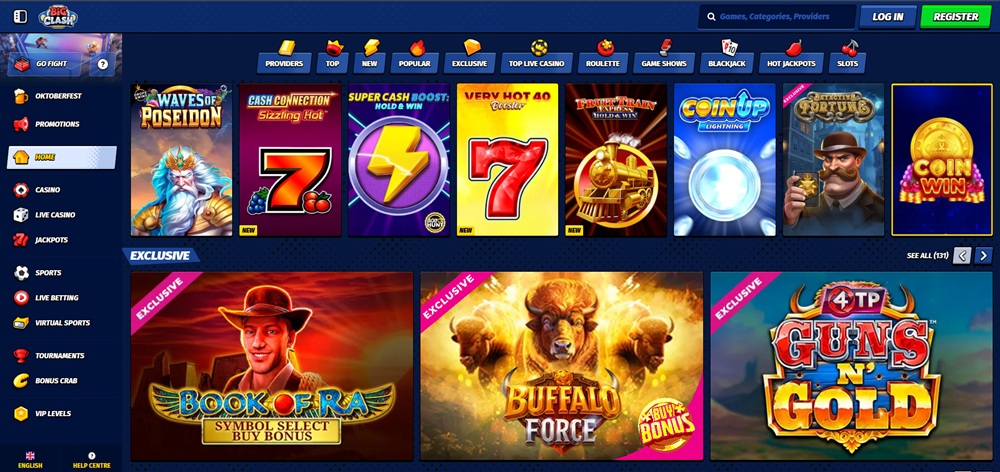
Even without a mobile app, BigClash performs great. It’s a new casino that doesn’t lag behind established brands in the number of games or bonus offers. The website is clearly organized, customer support is reliable, and the pages are designed to be as user‑friendly as possible. A missing mobile app may be slightly inconvenient for those who like everything one tap away, but playing via a web browser works just as well—whether you’re on a computer, phone, or tablet.
A mobile app? We don’t need one!
BigClash knows players want to play anytime, anywhere—at a computer, lounging with a tablet, or waiting for a train with a phone in hand. Since it doesn’t offer its own mobile app, the site is built to be fully responsive and work perfectly on mobile devices. The result? You play on small and large screens without losing quality or momentum.
The mobile version has its charm: it doesn’t take up device storage and it can save battery—so you can play longer without your phone dying mid‑bonus round. So even without an app, BigClash is ready to offer comfortable, fun gameplay wherever you are. Another big plus is that the mobile web updates automatically, so unlike apps, you don’t have to download or install anything. You’ll always have the latest version of the casino right in your browser.
Casino at your fingertips
Want your favorite casino always at hand without weighing down your device? A home screen shortcut to the website is exactly what you need! It won’t eat up storage, drain your battery, or slow your device. One quick tap and the casino website opens instantly—ready for action in seconds!
Add a website shortcut to your device’s home screen
No matter which operating system you use, creating a shortcut is quick and easy. First, fully load the casino website. Then the process differs slightly based on your operating system:
iOS: Tap the „Share“ button and choose „Add to Home Screen“ from the menu. Then confirm by tapping „Add“ at the top. Done! An icon will appear on your home screen, and one tap takes you straight to the casino.
Android: Tap the three dots next to the address bar and select „Add to Home screen“. That’s it—the shortcut to the casino website is ready in seconds.
Windows: At the end of the address bar you’ll find the install/download icon. Click it and confirm your choice. Now you’ve got a quick entry to the online gaming world!
With a shortcut, visiting the casino becomes fast and convenient. No more searching bookmarks or typing addresses—one tap and you’re where the best games and bonuses happen. And your device stays light and snappy because a web shortcut is a minimal footprint. If you customize the shortcut with an icon and place it on your home screen next to your favorite apps, it’ll feel almost indistinguishable from a native mobile app.