This content contains affiliate links — if you sign up through them, we may earn a commission. This does not affect our reviews. How we make money
Log in to your account on the Betista platform and you can immediately start playing
Are you a fan of gambling? Do you enjoy betting on sports events? Then just take the first step, and the Betista platform will provide you with fun along with the possibility of interesting rewards and lucrative winnings. After registration, everything is at your disposal. Just choose from a rich offer and start the action. How to log in during your next visit? What to do if you forget your login password?
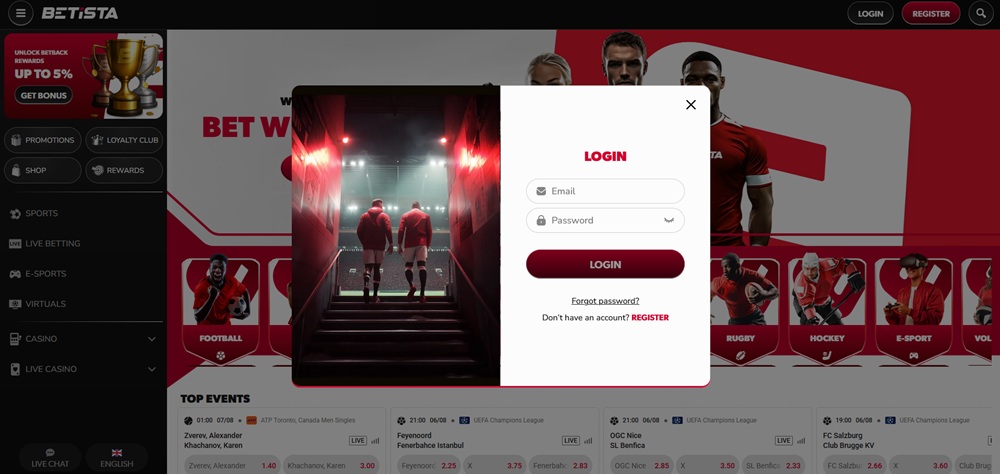
Once you register and have an active account, logging into the casino is very easy and quick. How to do it? In the upper right corner, click on “Login”, enter the password you provided during registration, and confirm by clicking on “Login”. If you are logging in on your computer or mobile phone, you may consider saving your password for even quicker access to the casino.
Since today it is quite common to use a mobile phone, the Betista platform takes this into account. Just as easily as you can log into your account on a laptop or desktop computer, you can also log in on your mobile phone or tablet. The process is exactly the same, i.e., in the upper right corner, click on “Login” and enter your password.
Forgot your password?
But what to do if you forget your password? Most of us have encountered this situation. There is no need to despair or panic. If this happens, click on “Forgot password?” under the login form and enter the email address you provided during registration, then confirm by clicking on “Reset password”. You will promptly receive a link to create a new password in your email. After creating it, you will be able to log in without any problems.
You entered your password correctly during login, but you cannot log in? In this case, double-check whether you entered the password correctly. A typo can happen, but also accidentally activated CapsLock. If you did this and the problem persists, try using a different browser. If you still cannot successfully log in, clear all cookies and cache in your browser. If this does not help and you still cannot log into your account, contact customer support via live chat or email at support@betista.com. We recommend preparing a screenshot of any error message. This will facilitate and speed up the resolution of the issue.